Opponent
MANUALLY SELECTEDJosé Mourinho
This exact manager version was selected from the tactical database.
Opponent playstyles
- Quick Counter
- Long Ball
Powered by eFootscan
Scan your opponent’s manager and find the best playstyle available with your own manager.
Built for eFootball players who want a clearer tactical choice before the match.
SCAN. ANALYZE. WIN.
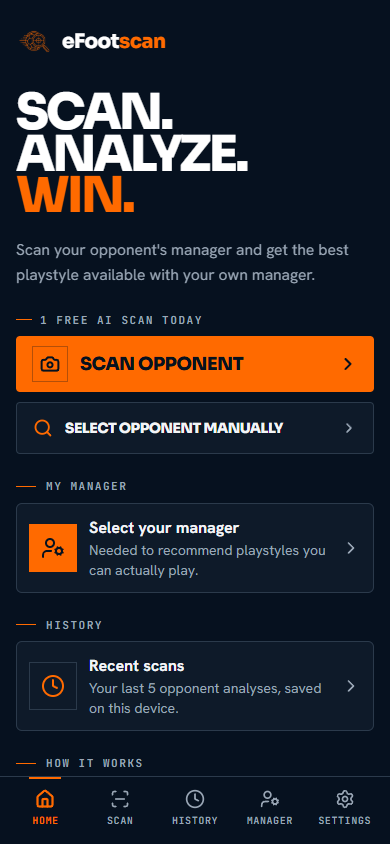
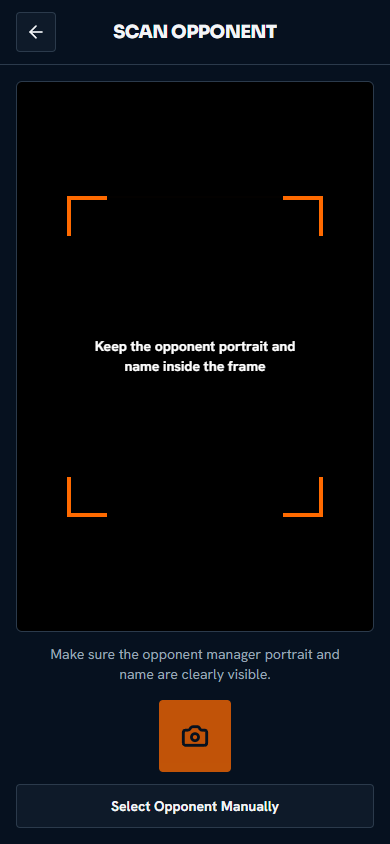
SCANIdentify the opponent manager
ANALYZERead their playstyles
COUNTERFind your best playstyle
RESULTGet the matchup recommendation
The app
Compare the opponent manager’s playstyles with your own manager’s options, then read the tactical reasoning.
Actual app screens. The result shown is a manual-selection example using published manager versions.
This exact manager version was selected from the tactical database.
Long Ball Counter gives you the best matchup with your manager.
Overall
Long Ball Counter counters every playstyle the opponent can realistically use, without a single weak matchup.
Use Long Ball Counter to defend compactly and draw opponents forward. After winning the ball, look early for your forwards with a long pass and bring support up to secure the next ball.
From manager to matchup
Three steps.
One clearer tactical choice.
Choose the manager you are using.
Scan the opponent manager or select them manually.
See the playstyle options available with your manager and the matchup analysis.
Built around the game
Designed specifically for eFootball manager matchups.
Identify a manager from their portrait and name.
Compare the exact version, not just the manager’s name.
Understand the reasoning behind your options.
Scan, select and review from your phone.
Good to know
Get to know eFootscan
before your first scan.
eFootscan is a tactical companion for eFootball. It compares your manager's available playstyles with the opponent manager's playstyles and explains the matchup options.
Take a camera photo with the opponent manager's portrait and name clearly visible. AI helps identify the manager version; the app then uses its tactical rules to compare the available playstyles.
Yes. You can select an exact opponent manager version manually. Manual selection is unlimited and does not use your AI scan allowance.
Yes. eFootscan includes one successful free AI scan per UTC day for confirmed accounts, plus unlimited manual opponent selection. If you need more AI scans, you can purchase additional scan packs as a one-time in-app purchase.
The app supports the published versions in the eFootscan manager catalogue. Different versions of the same manager can have different proficiencies. Search the catalogue to check the exact version you use.
No. eFootscan provides tactical matchup information and recommendations. Match results still depend on the player and the match itself.
Make your next choice an informed one
Scan. Analyze. Win.